Features
How to Store a Backup Drive Safely: Temperature, Humidity, and Shock
A shelf life guide for backup drives: temperature and humidity limits, shock protection, cases, and a 6 to 12 month check routine for long term archive storage.
What to take away
- Store backup drives at 15 to 25 C (59 to 77 F) and 40 to 50 percent relative humidity, away from basements, garages, and sunlit shelves.
- Keep hard drives flat and single layer in foam or an anti static case. Stacking and vibration end more drives than dust does.
- Power each archive drive up every 6 to 12 months, read a few files, and check its health counters.
- Treat any drive that has been dropped as a suspect drivetest it, image it, replace it.
Why shelf conditions decide whether a drive survives
A backup drive spends most of its life powered off. The damage that ends it happens quietly during those years: lubricant migration in a hard disk, charge leakage in flash, corrosion on connector pins. Temperature and humidity drive all three.
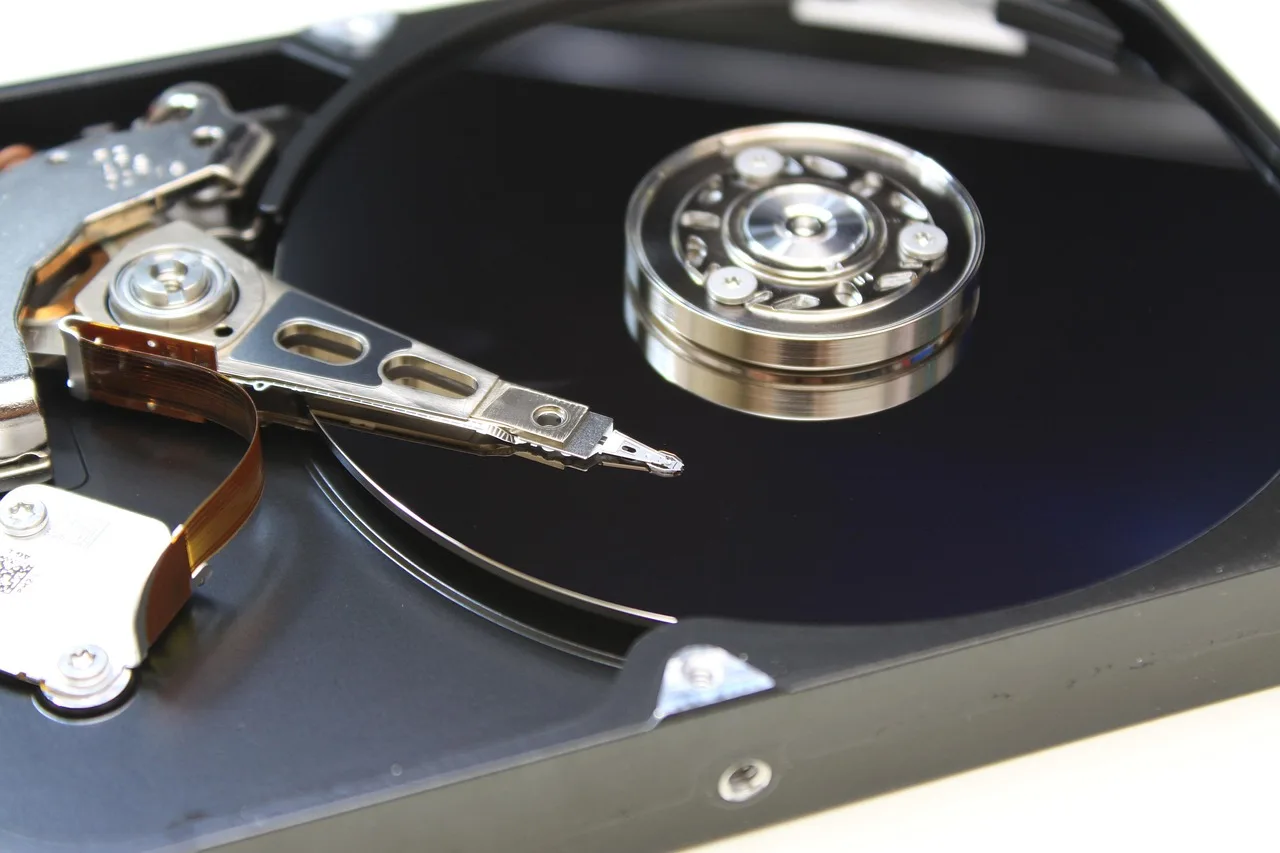
Inside a running hard disk, the read and write head floats just above a spinning platter. The hard disk drive design leaves almost no clearance, so a knock while the platters spin can push the head into the surface. A parked drive tolerates far more than a spinning one.
Temperature limits for external hard drives and SSDs
Most external drive datasheets list a non operating range near -40 to 65 C (-40 to 149 F). That figure describes shipping survival, not years on a shelf. Long term storage goes better at room temperature with small swings.
Storage Temperature Ranges
Powered on
- Temperature
- 5-35 C
- Risk
- vendor spec
Shelf, long term
- Temperature
- 15-25 C
- Risk
- stable room
Cold room or garage
- Temperature
- below 10 C
- Risk
- acclimate 4-8h
Attic or parked car
- Temperature
- above 35 C
- Risk
- charge leaks
Temperature limits
| Storage state | Suggested temperature | What changes outside it |
|---|---|---|
| Powered on | 5 to 35 C (41 to 95 F) | Vendor spec for most 2.5 and 3.5 inch drives |
| Shelf, long term | 15 to 25 C (59 to 77 F) | Stable room, no direct sun |
| Cold room or garage | below 10 C (50 F) | Acclimate sealed for 4 to 8 hours |
| Attic or parked car | above 35 C (95 F) | Flash leaks charge faster, lubricant dries |
Flash memory stores data as trapped charge, and solid state drive retention depends on that charge staying put. Heat speeds the loss, which is why a hot car is the worst place for an unplugged SSD. Hard drives fail on another clock: heat thins the lubricant and stresses bearings.
Humidity, condensation, and the enclosure
Aim for 40 to 50 percent relative humidity. Above 60 percent, pins and solder joints corrode and mold grows in paper labels. Below 30 percent, static buildup during handling becomes the bigger risk.
Condensation is the trap most owners miss. Move a cold drive into a warm room and moisture forms on the coldest metal, which is the platter chamber and the circuit board. Leave the drive sealed until it reaches room temperature.
Do not open the enclosure. A 3.5 inch desktop drive breathes through a filtered hole, not a user serviceable seal, and an opened drive is a shortened drive.
Shock, vibration, and how to pack an archive drive
Foam helps, but a platter drive is never shock proof, and the failure modes after a fall are worth reading before you trust a case.
Archive Drive Packing Checklist
- Keep drives flat and single layer
- Use original molded foam or archive case
- Add fresh silica gel packet
- Replace silica every 6 months
- Label contents and last verified check
- Store away from washers and subwoofers
Shock, vibration, and packing
- Keep drives flat and single layer. Never stack them or rest anything on top.
- Use the original molded foam, or an archive case with closed cell foam cut to the drive footprint.
- Add a fresh silica gel packet and replace it every 6 months.
- Label each drive with its contents and last verified check.
- Store on a shelf away from washing machines, dryers, and subwoofers.
A storage routine you can repeat
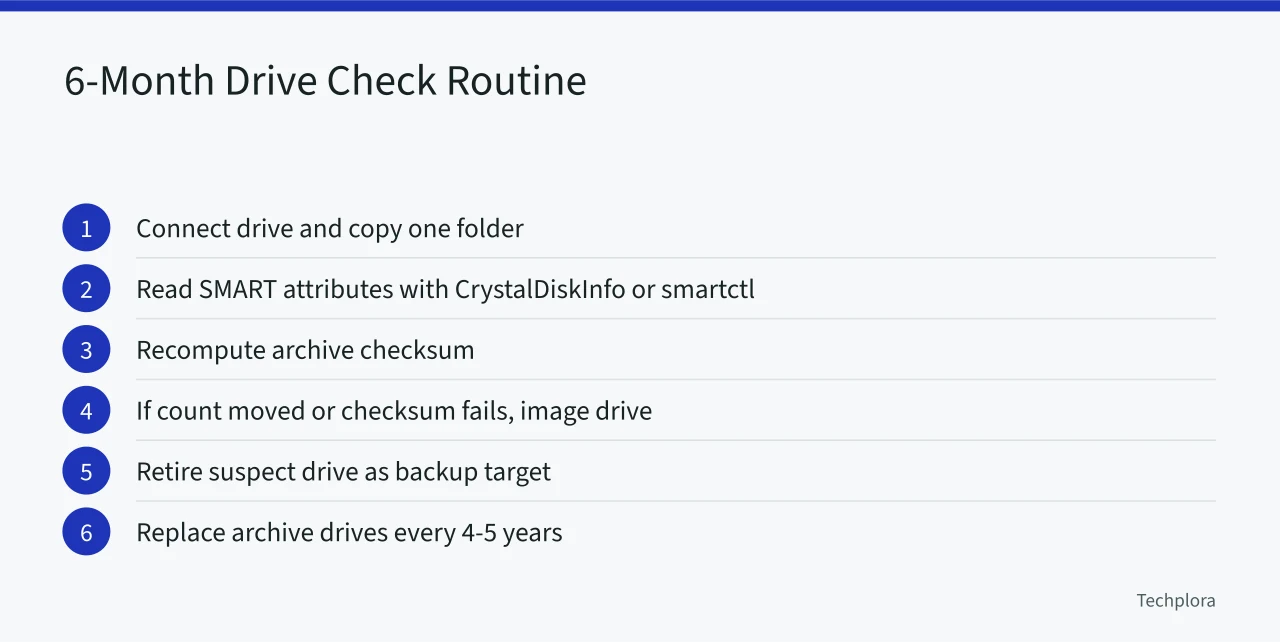
- Every 6 months, connect the drive to a machine you trust and copy one folder to a scratch disk.
- Read the SMART attributes with CrystalDiskInfo or smartctl, then note reallocated sectors and pending sectors.
- Recompute an archive checksum. On Linux and macOS use sha256sum, on Windows use CertUtil with the hashfile switch.
- If a count moved or a checksum fails, image a suspect drive before writing anything else to it, then retire it as a backup target.
- Replace archive drives on a 4 to 5 year rotation and keep two copies in separate rooms.
Example: a five year shelf plan for one archive
Two 4 TB drives, bought a year apart, hold the same archive in two rooms. Each sits in a case with foam and a silica packet on a shelf near 21 C. Twice a year the owner powers each drive for an hour and records checksums.
If a drive has ever been dropped, the owner reads how a dropped drive fails before storing anything else on it.
Retiring a drive without handing over your data
Deleting files does not remove them from the platters. NIST publishes media sanitization guidelines covering clear, purge, and destroy steps for storage media. For a working drive, a full overwrite plus encryption is practical. For a failing drive, physical destruction is the honest option.