Guides
External SSD vs HDD for Long-Term Backup: Which Survives Drops and Time?
External SSD vs HDD backup durability: see drop resistance, unpowered retention, failure signs, and which drive to pick for long-term backup.
What to take away
- External SSD and HDD fail differently. SSDs resist drops but can lose data when unpowered for years in heat. HDDs are cheaper per terabyte but hate knocks and wear mechanically.
- For a drive carried weekly, choose a portable SSD. For a drive that sits on a shelf and gets checked once or twice a year, a portable HDD can still be a reasonable archive copy.
- No single drive is a backup. Keep a second copy somewhere else, and test restores before you trust either format.
- US consumer warranty law does not let a manufacturer void a drive warranty just because you opened the case, unless your action caused the failure.
The two storage formats
A portable SSD stores data in NAND flash cells. The solid-state drive has no moving parts, so it survives short drops better than a mechanical drive.
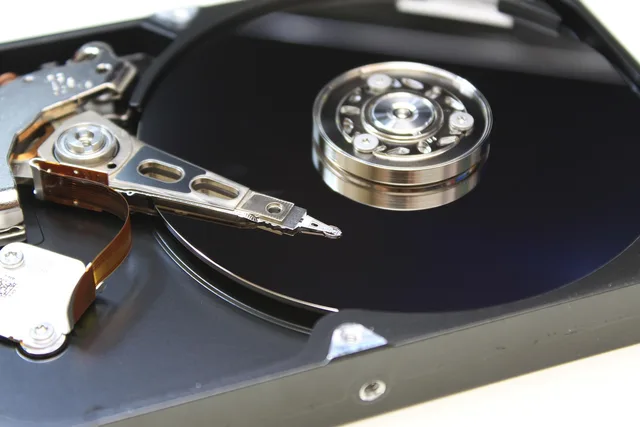
A portable HDD stores data on spinning magnetic platters. In a hard disk drive, the read/write head floats very close to the platter, and a sharp impact can cause a head crash that scrapes data.
Both connect over USB and hold tens of terabytes in consumer sizes. The real difference is how they die, how long they hold data without power, and what recovery looks like.
The criteria that matter
Choose by four tests: drop tolerance, unpowered retention, failure warning signs, and recovery cost. Price matters but should not be the only axis.
SSD vs HDD: Key Criteria
Portable SSD
- Drop and shock survival
- Very good
- Unpowered data retention
- Shorter
- Failure warning signs
- Sudden death
- Typical cost per terabyte
- Higher
- Data recovery path
- Controller work
Portable HDD
- Drop and shock survival
- Poor if powered
- Unpowered data retention
- Longer
- Failure warning signs
- Clicking
- Typical cost per terabyte
- Lower
- Data recovery path
- Cleanroom platter swap
Portable SSD
- Drop and shock survival
- Very good; no moving parts
- Unpowered data retention at room temperature
- Shorter for consumer NAND, especially in heat
- Failure warning signs
- Sudden controller death, slow writes, bad blocks
- Typical cost per terabyte
- Higher, often two to four times a similar HDD
- Data recovery path
- Controller or chip work, often costly
Portable HDD
- Drop and shock survival
- Poor if powered or dropped onto hard floor
- Unpowered data retention at room temperature
- Longer for magnetic platters
- Failure warning signs
- Clicking, reallocated sectors, slow reads
- Typical cost per terabyte
- Lower; best value for large archives
- Data recovery path
- Cleanroom platter swap, often cheaper per gigabyte
This is not a ranking. A drive that fails safely after a fall and a drive that fails slowly with warning are both acceptable in different hands. For repair-minded buyers, Prebuilt vs Custom Desktop PC shows how standard parts affect repair cost, and the same logic applies to storage enclosures.
Option by option: portable SSD
A portable SSD is the better choice when the drive rides in a bag, gets synced weekly, or sits near a laptop that gets bumped. The controller and NAND are solid state, so a three-foot drop onto carpet rarely ends the drive.
The main weakness is unpowered retention. Consumer NAND cells leak charge over time, and JEDEC data retention specifications for client SSDs assume the drive is powered occasionally.
Fill a portable SSD, unplug it, and store it in a hot garage for three years. You may find corrupt files when you plug it back in; this is not a defect but the physics of NAND storage.
US retailers usually give 14 to 30 days to return or exchange a storage drive. That window is enough to run a full write and read test, but not enough to simulate three years on a shelf.
Option by option: portable HDD
A portable HDD is the better choice for a large media archive that stays in a drawer or fire-resistant safe. You get more terabytes per dollar, and magnetic platters tend to hold their bits longer without power than consumer NAND.
The main weakness is mechanical shock. A drive that is spinning when dropped can suffer a head crash, but even a powered-off HDD can be damaged by a hard knock. Look for early failure signs: clicking, slow reads, or S.M.A.R.T. warnings. If you hear a click, stop using the drive and copy data off before it dies completely.
US data recovery labs such as DriveSavers and Gillware handle both formats, but cleanroom work often costs more than the drive.
Where each one wins
Choose a portable SSD when the drive moves often, restores need to be fast, and drops are likely. A 2 TB portable SSD often costs between $140 and $220 in the US, but speed and shock tolerance justify that for a working backup.
Typical US Prices for 2TB Drives
- 140–220Portable SSD price range
- 60–90Portable HDD price range
Choose a portable HDD when the drive stays in one place, when you need 4 TB or more for photo and video archives, and when you will power it on every few months. A 2 TB portable HDD often costs $60 to $90 in the US, which makes a second copy affordable.
If you are considering a used drive to save money, How to buy refurbished tech explains what warranty and grading language actually means.
What none of them solve
Neither format survives fire, flood, or theft if the drive sits next to the computer it backs up. Neither removes the need for a second copy off-site or in cloud storage.
No single external drive is a backup. It is a copy. The backup is the practice of keeping at least two copies in different places, and testing restores.
Long-term retention also depends on the host computer's USB controller, power supply, and filesystem. A drive can be fine while the enclosure fails, so test the whole chain. NIST guidance on media sanitization notes that storage media have no guaranteed lifetime, and consumer drives are no exception.
When a drive fails with important files on it, Data recovery and privacy explains what a repair shop should and should not do with your data. For the decision to fix or replace after a failure, Repair or replace walks through the cost maths.