Maintenance
Part of Laptop buying guide: a framework for comparing options
Used laptop inspection checklist for firmware, battery, and ports
Used laptop inspection checklist covering seller terms, model identity, ownership, firmware, display, battery, keyboard, ports, storage, thermals, and clean setup.
What to take away
- Match the physical identifier and installed configuration to the listing and receipt.
- Confirm ownership, management, firmware, account, and activation status before payment.
- Test every integrated component under battery and external power.
- Check software support, battery condition, storage health, and repair history.
- Complete clean setup and updates before the return deadline.
Use this list in person or as soon as a delivered laptop arrives. Save the listing, seller messages, payment record, package photographs, and return deadline before testing. It pairs with the laptop buying guide, which decides what the machine must do before condition matters.
Seller and offer
- Seller identity and contact route recorded.
- Exact model, configuration, condition grade, and included items written down.
- Return reasons, deadline, process, shipping, and restocking terms saved.
- Warranty provider, covered remedy, exclusions, and transport cost saved.
- Meaning and testing process behind "refurbished" or "certified" defined.
- Any battery, screen, keyboard, storage, or cosmetic limitation disclosed.
Identity and ownership
- Physical serial number photographed.
- Firmware, operating system, and maker application report the same identity.
- Processor, graphics, memory, storage, display, and wireless hardware match the listing.
- Proof of purchase or lawful transfer checked where appropriate.
- Device is not tied to a previous owner's account or location feature.
- Employer, school, mobile-device-management, or enrollment profile absent unless expected.
- Firmware password or unknown administrator control absent.
- BIOS/UEFI version, update status, and relevant settings recorded and compared with the manufacturer's guidance.
- Secure Boot and TPM status checked against the seller's claims and intended setup. On supported Intel business systems, check Intel Management Engine, AMT/vPro, and Computrace/Absolute Persistence for unexplained provisioning or persistence.
- Platform locks and activation checkedApple Find My and Activation Lock are off; Windows Activation and digital license are valid for the installed edition; Chromebook Developer Mode is off unless expected and understood.
Wikipedia's page on the serial number explains why this identifier does the heavy lifting: it uniquely identifies the individual unit. Because serials can be recorded, stolen or otherwise irregular goods can be identified from them.
Compare the chassis label with the identity reported in firmware and software; a matching sticker alone does not prove the installed board or configuration. The used smartphone inspection checklist applies the same identity discipline to phones.
Exterior and structure
- Case checked for bends, cracks, dents, separation, missing feet, and sharp edges.
- Hinges move smoothly and hold position without lifting the case.
- Screws, clips, seams, and service covers checked for prior work.
- Vents are open and free from thick debris.
- Charger label, plug, cable, and output match the laptop's requirements.
- No battery swelling, lifted trackpad, warped case, odor, scorch, or liquid evidence.
Stop and do not charge a laptop with suspected battery damage or an electrical hazard. If the machine is already yours and just failed, switch to preparing the device for repair instead of a purchase test.
Display, keyboard, and input
- Bright and dark screens reveal no lines, flicker, pressure marks, dead pixels, or severe unevenness.
- Brightness steps, color modes, touch, pen, and rotation tested where supported.
- Every key tested, including function, modifier, and backlight controls.
- Trackpad tests pointer accuracy, clicks, drag, scrolling, gestures, and palm rejection.
- Touchscreen tested across edges and corners where fitted.
- Webcam, shutter, microphones, speakers, audio jack, and vibration or haptics tested.
Ports and wireless
- Every USB, display, audio, network, card, charging, and docking port tested with known-good equipment.
- USB-C functions tested separately for data, charging, and display where claimed.
- Wi-Fi connects and transfers data on supported bands.
- Bluetooth pairs, transfers, sleeps, and reconnects.
- Cellular modem, SIM, eSIM, NFC, or smart-card reader tested when included.
- Check the exact model specifications for USB-C DisplayPort Alt Mode, Thunderbolt, DisplayPort, HDMI, Ethernet, and SD or other card readers; test each standard only where fitted or claimed.
- Use known-good cables, adapters, a display, a network connection, and a card or USB device as appropriate. A USB power meter can check charging; suitable loopback plugs can help test data, audio, or network ports.
Battery, power, and thermals
- Battery report, health, cycle count, and full-charge capacity recorded where available. On Windows, run
powercfg /batteryreport; on macOS, check System Information > Power or runsystem_profiler SPPowerDataType; on Linux, useupower -eto find the battery device, thenupower -i <battery-device>. Lenovo Vantage, Dell Power Manager, or HP Support Assistant can also report battery condition on supported models. - Laptop starts and runs on battery.
- Compatible charger is recognized and charges steadily.
- Sleep, wake, shutdown, restart, and lid actions tested.
- A repeatable workload run under battery and AC power.
- Fan sound, surface heat, throttling, and sudden shutdown noted.
- Do not rely on cycle count alone or apply one universal cutoff: compare the maker's condition report and full-charge capacity with the seller's claims and the runtime needed. Investigate poor runtime, warnings, or a material mismatch.
Storage, memory, and system
- Firmware detects the advertised memory and storage.
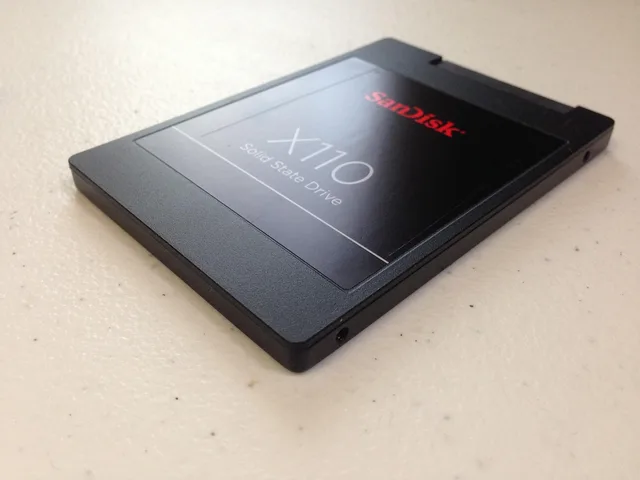
- Maker diagnostics and storage health test completed; CrystalDiskInfo on Windows or
smartctlfrom smartmontools can check drive health where supported. - Ports, slots, and soldered versus replaceable parts checked against the exact manual.
- Encryption and recovery state understood.
- Supported operating system installs and activates lawfully.
- Security updates complete.
- Required applications and peripherals pass a real-work test.
Warranty and transfer
In law, a warranty is a contractual assurance, express or implied, that entitles the innocent party to damages if breached.
Whether a maker's warranty follows the machine to a second owner is set by the warranty's own conditions. Verify coverage with the identifier, and ask whether region, seller, ownership, or proof of purchase affects it. The used tablet and e-reader checklist shows the equivalent checks for touch devices.
- Maker coverage dates checked directly.
- Accidental-damage or service plan transfer rules checked.
- Recall and safety-program status checked.
- Repair and parts history requested.
- Seller promises saved in writing.
Clean setup and final acceptance
- Seller removes accounts and management through the correct process.
- Buyer performs the platform reset or clean installation as appropriate.
- Firmware and operating-system updates complete.
- Buyer can activate, encrypt, back up, recover, and install required tools.
- Core hardware tests repeated after clean setup.
- Any mismatch reported before the return deadline.
Common questions
Is a battery cycle count enough to judge condition?
No. Combine it with age, full-charge capacity, runtime, charging stability, swelling checks, and the maker's status.
Can a clean case prove careful use?
No. Test structure, thermals, storage, battery, ports, firmware, and ownership state.
Should I trust a fresh operating-system installation?
Treat it as a starting state. Complete updates, identity checks, diagnostics, activation, and a real workload.
What if the laptop has an unknown management profile?
Do not accept it until the lawful owner removes the enrollment and clean setup proves it stays removed.