Features
Part of Refurbished technology deserves the same checks as anything new
Small business technology lifecycle case: stages and rules
A small business technology lifecycle case: buying refurbished devices, acceptance tests, maintenance, repair, redeployment, data erasure, and recycling.
What to take away
- A device lifecycle starts with requirements and ends only after verified data handling and transfer.
- Refurbished purchasing works best with consistent models, seller evidence, spares, and acceptance tests.
- Maintenance records make repair and redeployment decisions faster.
- End of security support can end an internet-connected role even when hardware still runs.
- Sanitization, resale, donation, parts harvest, and recycling need separate decisions and custody records.
This small business technology lifecycle case follows a six-person design studio in the UK replacing aging laptops. The studio handled client files, invoices, video calls, and large local image libraries. It needed reliable systems but did not need the latest processor.
The owner first considered six low-cost marketplace laptops. Instead, the team wrote a four-year job specification: supported operating system, 16 GB memory, replaceable storage, two external displays, business-grade Wi-Fi, hardware encryption, repair manuals, and a next-business-day spare. The household technology purchase case shows the same evidence-first turn at family scale.
Buying became a fleet decision
The studio found a refurbisher offering one consistent three-year-old business model with condition definitions, battery threshold, data-erasure record, one-year warranty, and a 30-day return period. The machines were of the kind that stays serviceable for years — a Lenovo ThinkPad T series or a Dell Latitude, for example — with published service manuals and a manufacturer parts channel. The quote included eight units: six deployed devices, one hot spare, and one parts-compatible test unit. The seller met the disclosure bar the refurbished technology buying guide sets.
Refurbisher Disclosure Checklist
- Consistent three-year-old business model
- Condition definitions and battery threshold
- Data-erasure record
- One-year warranty
- 30-day return period
- Serials, firmware, charger identities
- Storage health and repair history
The studio asked for serials, firmware versions, charger identities, storage health, battery reports, repair history, and the exact test checklist. Two proposed units failed the battery threshold before shipping and were replaced by the seller.
Acceptance created the baseline
On delivery, the office manager photographed boxes, labels, serials, and cosmetic condition. An IT contractor verified ownership status, hardware, activation, firmware, memory, storage, ports, display, keyboard, camera, audio, Wi-Fi, charging, sleep, and temperature. Results went into one record per serial. The family document scanning case applies the same one-identifier-per-item discipline to a paper archive.
One laptop had an intermittent USB-C display output. A known-good dock, cable, monitor, and second laptop isolated the fault to that unit. It was exchanged during the return window without migrating user data. The home-office display case ran the same dock-versus-direct isolation before buying.
Deployment reduced future work
The contractor applied official firmware and operating-system updates, enabled encryption, stored recovery keys in controlled records, configured multifactor authentication, and restored only approved applications and files. Users received standard accounts rather than everyday administrator access.
Every laptop was labeled with asset number, assigned user, charger, warranty end, support end, and next review. The spare received the same baseline and monthly updates, so it could replace a failed unit without an emergency build.
Maintenance used evidence
Quarterly reviews covered storage space, battery reports, updates, backup results, physical damage, charger condition, and recurring errors. Dusty vents were cleaned by an approved external method. Users reported liquid, impacts, charging instability, and swelling immediately rather than waiting for the review. When a unit merely slows down, the slow laptop diagnosis case shows the measured response.
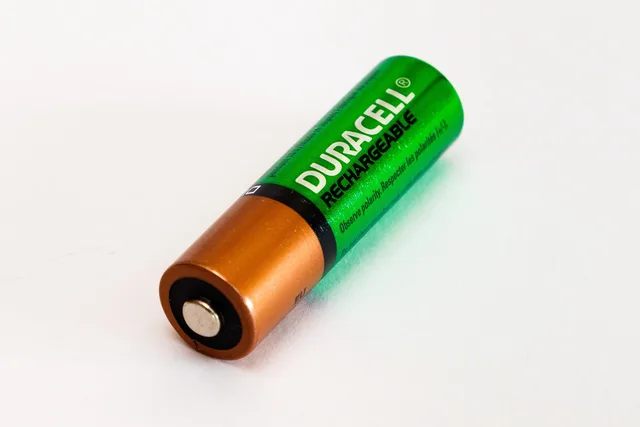
After 18 months, one battery had fallen below the studio's runtime requirement but showed no damage. The contractor confirmed part availability, backup, service instructions, and quote. A documented battery replacement restored field use. The removed cell went to a battery take-back point rather than general waste, as the UK's Waste Batteries and Accumulators Regulations 2009 require.
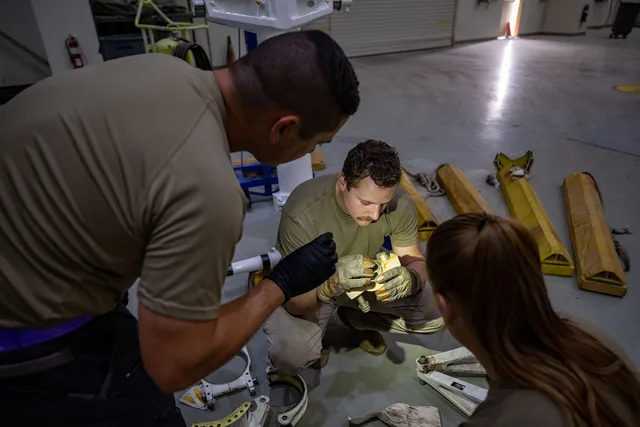
At 30 months, another laptop developed a keyboard fault. It moved temporarily to the spare, then received a module repair under a clear parts-and-labor warranty, with spares protection coming from the seller's warranty and the one-model policy — since UK right-to-repair rules under the Ecodesign regulations cover appliances such as washing machines and televisions rather than business laptops. When a warranty conversation turns difficult, the refurbished warranty and return problems guide builds the claim. Because the fleet used one model, docks, chargers, images, and troubleshooting remained consistent.
Redeployment matched capability to risk
At year four, video work demanded faster systems, but the refurbished laptops still handled invoicing and meeting rooms. Two were redeployed to low-intensity internal roles. Two became controlled loaners. One remained a spare. Devices no longer used for client projects were removed from the relevant access groups.
The studio did not treat working hardware as automatically safe forever. UK National Cyber Security Centre guidance on obsolete products explains that unsupported products can retain exploitable flaws and that stopping use is the only fully effective way to remove that risk. The studio set a final network-use date tied to operating-system and firmware support.
Retirement separated data from hardware
Before sale or donation, the manager confirmed asset identity, backup ownership, legal retention, account removal, encryption status, and recipient requirements. Retention and erasure were checked against the UK GDPR and the Data Protection Act 2018, which the Information Commissioner's Office enforces. The studio did not assume a factory reset was always sufficient for every storage device or sensitivity level.
Two healthy devices were sold with drives sanitized and fresh supported installations. One was donated through a reuse programme that accepted the remaining support period. The test unit supplied a verified fan and keyboard assembly. Unusable electronics went to an approved authorised treatment facility (AATF) under the UK WEEE Regulations 2013, which the Environment Agency enforces in England; batteries were handled separately.
The lifecycle record
For every device, the studio kept:
| Stage | Evidence |
|---|---|
| Selection | job requirement, support horizon, seller and program terms |
| Receipt | serial, condition photos, configuration, acceptance results |
| Deployment | firmware, encryption, accounts, recovery, assigned user |
| Maintenance | updates, battery, storage, incidents, backup checks |
| Repair | symptom, diagnosis, part, provider, cost, final test, warranty |
| Redeployment | new role, access change, capability and support review |
| Retirement | backup decision, sanitization method, verification, custody |
| Transfer | buyer, recipient, recycler, date, receipt, battery route |
NIST SP 800-88 Rev. 2 media sanitization guidance defines sanitization as making access to target data infeasible for a specified level of effort and provides a program framework based on information sensitivity and media type. It sets out sanitization categories — Clear, Purge, and Destroy — and expects verification of the result. The studio's contractor chose a Purge-level method, such as the drive's built-in ATA Secure Erase command, documented why, verified the result, and recorded custody.
Outcome
The studio avoided six emergency purchases, used one spare to reduce downtime, and extended several devices into lower-demand roles. It also knew when to stop. Unsupported network use, damaged batteries, uncertain sanitization, and undocumented transfer were treated as lifecycle failures even when a computer could still turn on.
The lesson was operational: refurbishment saved money because the business standardized requirements, evidence, support, and exit paths. Price alone would not have created that result.
Common questions
Why buy an extra spare?
A maintained spare can reduce downtime and prevent rushed purchases or unsafe temporary fixes.
Can an unsupported computer be used offline?
Sometimes in a tightly controlled role, but risk remains through files, removable media, and accidental reconnection. Assess the actual exposure.
Is factory reset enough before resale?
Not for every device, media type, or data sensitivity. Use an appropriate, verified sanitization method.
Should every working device be donated?
No. The recipient needs adequate safety, support, performance, licensing, and accessories. Otherwise responsible parts recovery or recycling may be better.