Maintenance
Part of Repair diagnosis guide: separating hardware faults from software ones
Repair intake checklist for identity, faults, backups, and authorization
Repair intake checklist covering device identity, condition, fault evidence, backup, account protection, accessories, authorization, parts, and pickup tests.
What to take away
- Use one record from handoff through collection.
- Keep model, serial number, condition photographs, fault notes, and accessories together.
- Verify a backup and agree on data access before service.
- Set a written spending cap and require approval for changed work.
- Test the original symptom and affected functions before closing the job.
This checklist is a practical intake record for phones, tablets, computers, displays, audio gear, printers, and similar consumer technology. Adapt it to the product and the repairer's stated process. It condenses the fuller repair preparation walkthrough into tick boxes.
Stop and disclose safety hazards
- Device has been powered down if it is hot, swollen, wet, scorched, smoking, or electrically unsafe.
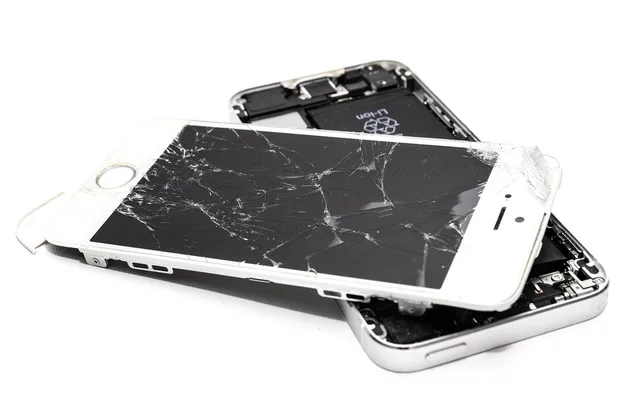
- Battery damage, liquid exposure, sharp glass, impact, odor, or unusual heat has been disclosed.
- The repairer has provided safe transport or packing instructions where needed.
- No damaged lithium battery is being mailed without an accepted carrier and service process.
- No charging attempt made only to complete a backup.
- Corrosion, residue, scorch marks, and impact evidence left in place for the technician.
Identify the item
- Manufacturer and exact model recorded.
- Serial number, IMEI, or other identifier recorded.
- Storage, memory, color, configuration, and visible marks noted.
- Clear photographs taken of the front, back, sides, ports, screen, and existing damage.
- Powered-on photograph captured only where that is safe.
- Warranty, service plan, recall, and proof-of-purchase status checked.
Describe the fault
- Observable symptom written without an assumed cause.
- Starting state and reproduction steps listed.
- Frequency and first known date recorded.
- Error text, light pattern, sound, or code copied exactly.
- Photographs or video saved.
- Power source, battery level, accessories, network, workload, movement, and temperature conditions noted.
- Recent drop, spill, update, prior repair, or accessory change disclosed.
- Tests already performed and their results listed.
- Expected result stated next to the observed result.
- Facts kept separate from guesses about the cause.
- Power event or outage before the first failure recorded.
A note that a known-good cable fails twice is stronger evidence than a claim that the port is faulty.
Preserve data
- Important data backed up to a controlled destination.
- Representative files opened from the backup.
- Encryption recovery keys stored separately.
- Data-recovery priority stated if the device does not start.
- Permission to erase, reset, update, or replace storage stated in writing.
- Storage replacement or erase held back while logs and current state may still reproduce the fault.
- Recovery of data treated as possible even when the device will not switch on.
- Confidential, employer-owned, or regulated data routed through the correct organizational process.
Protect access
- SIM card and removable memory removed unless needed for the fault.
- Payment cards or passes removed where the platform calls for it.
- Repair mode, temporary account, or supervised credential entry considered.
- Account passwords and recovery codes have not been handed over casually.
- Activation-lock or device-location setting handled according to the provider's exact instructions.
Some phones have a repair mode that boots a clean environment and keeps user data walled off during service. Availability and steps differ by maker, model, and software version, so check the product's own instructions rather than assuming the feature exists. No legitimate intake needs your account password.
Access protection checklist
- Remove SIM and removable memory unless needed
- Remove payment cards or passes where required
- Consider repair mode, temporary account, supervised entry
- Don't hand over passwords and recovery codes casually
- Handle activation lock or location per provider instructions
The SIM card is worth a specific mention: it stores the subscriber identity and key that authenticate your line, and can hold contacts and messages. It comes out before hand-off unless the fault involves it. Which route you booked changes these steps too, and the phone repair routes comparison maps the differences.
List everything handed over
| Item | Included? | Identifier or condition |
|---|---|---|
| Main device | ||
| Charger or power supply | ||
| Cable or adapter | ||
| Keyboard, pen, or remote | ||
| Case or cover | ||
| Removable storage | ||
| Original packaging | ||
| Other accessory tied to fault |
- Unrelated accessories have been kept at home.
- Intake receipt lists every accepted item.
Photograph the complete handoff group beside the signed receipt. If the service center changes what it wants after booking, get the revised list before shipping. If a charger or accessory is part of the fault, record its model or rating.
A device, charger, dock, cable, and removable card can look alike across several customers. A plain description is not always enough to settle ownership. Attach the fault record as well: the repair diagnosis guide shows how to write symptoms a stranger can reproduce.
Mail-in service routes commonly reset or erase a device as part of standard processing. A backup is a copy of data stored elsewhere precisely so the original can be restored after a loss event, and a shipped repair counts as one.
Copy first, open representative files from the copy, and treat the unit you send as one that may come back empty. Follow the instructions attached to the actual repair order. A phone set up with a verified backup habit has already done the hard part.
Set diagnosis and authorization terms
- Diagnostic fee recorded.
- Fee treatment if repair is approved recorded.
- Initial estimate or fixed quote identified correctly.
- Maximum authorized total, including tax and shipping, written down.
- No extra work allowed without written approval.
- Expected diagnosis and completion dates recorded.
- No-fault-found charge and test duration agreed.
- Storage fee and uncollected-device policy reviewed.
- Subcontracting or off-site shipment disclosed.
- Data terms written down, covering user files, tests under your account, and retained diagnostic data.
Define parts and result
- Part description and condition agreed: new, used, refurbished, original, or compatible.
- Required adhesive, seal, calibration, pairing, or firmware work included.
- Original part return, recycling, or core-credit treatment stated.
- Repair warranty duration, remedy, exclusions, and provider written down.
- Standard for success tied to the reported symptom.
- Procedure if the first repair fails agreed.
At collection or delivery
- Device identifier matches the intake record.
- All accessories returned.
- New exterior damage checked before leaving.
- Original symptom test repeated.
- Charging, ports, network, sound, cameras, controls, display, sleep, and thermals checked as relevant.
- Software, storage, security, and account state reviewed.
- Installed part and completed labor itemized on the invoice.
- Repair warranty and contact route saved.
- Backup retained until the device has passed normal-use testing.
Common questions
Do I need photographs for a low-cost repair?
Yes. A short condition record protects both owner and repairer and takes little time.
Should the quote include the diagnostic fee?
It should state the fee clearly and say whether that amount is separate from or credited toward the repair.
May a shop erase my device?
That depends on the agreed service process. Back up first and put permission or refusal in the intake record.
How long should I keep repair records?
Keep them through the repair warranty and longer when they support product, insurance, tax, resale, or repeated-fault records.