Maintenance
Part of Tablet and e-reader buying guide: what to check
Used tablet and e-reader checklist: locks, screen, battery
Used tablet and e-reader checklist for account locks, screen and battery tests, plus model support, connectivity, accessories, records, and safer payment.
What to take away
- Identify the exact model and current software support before discussing condition.
- Require the seller to remove account and activation locks before payment.
- Test the whole screen, charging path, wireless radios, buttons, audio, cameras, and accessories.
- Treat battery percentage as a momentary reading, not proof of battery health.
- Save the listing, serial number, messages, payment record, and written return terms.
A used device can be a good reading or study tool if its identity, ownership, support, and physical condition are clear. A low price is not enough.
Expensive failures often hide in a polished listing: an account lock, a weak charging port, a pressure-damaged screen, unsupported software, or a battery that drains fast. The tablet and e-reader buying guide covers choosing the model; this list tests the unit in front of you.
Before meeting the seller
Ask for the exact model number, storage, connectivity version, serial number, purchase date, battery information, repair history, included accessories, and reason for sale. Request current photographs of the actual device from the front, back, sides, ports, settings screen, and any damage. A stock image cannot show condition.
Check the maker's identification guide and support page. Confirm the latest operating system or firmware available to that exact model, whether security support continues, and whether your required reading, library, school, or work apps still install. Check charger type, pen and keyboard compatibility, memory-card support, and cellular bands where relevant.
Search the model and serial through official warranty or service tools if the maker offers them. Use the CPSC Recalls database and the manufacturer's recall or service lookup for current notices, matching the exact model rather than just the product family. Do not post a full serial number publicly, and do not rely on a screenshot that cannot be matched to the device. The pre-purchase technology checklist keeps this paperwork organized for any category.
Ownership and reset checks
For Apple, have the seller turn off Find My and remove the device from their Apple Account so Activation Lock is cleared. For Amazon Kindle, have the seller deregister it from their Amazon account; for Kobo, have them sign out of the Kobo account and check any Adobe DRM or library authorization you need. Do not treat the seller's Kindle or Kobo library as included content; access depends on the relevant account or DRM authorization. Restart the device and complete setup to confirm it does not request a previous owner's account, using the official Apple, Amazon, or Kobo instructions for the model.
As Wikipedia's description of Find My explains, remotely erasing an Apple device does not by itself clear Apple Activation Lock. The seller should follow Apple's instructions to remove the device from their account.
Do not accept a promise that a locked tablet can be released later. Have the seller resolve it while the device and account are present.
For an Android tablet, ask the seller to remove personal Google accounts before resetting to avoid Factory Reset Protection (FRP) requesting the previous owner's credentials during setup. Samsung tablets may also have a Samsung account lock, so ask the seller to remove that account too. Confirm normal setup proceeds without requesting either account, following Google's or Samsung's model-specific instructions. Avoid bypass services and unexplained modified software. A legitimate transfer should not depend on defeating an anti-theft control. Phones fail the same way, and the used smartphone inspection checklist treats account locks with equal severity.
Inspect the exterior
Use bright, angled light and remove the case with permission. Look for bends, cracks, dents, separation, corrosion, missing screws, uneven seams, and adhesive residue. A lifting screen or opened seam can indicate swelling or a poor repair. Stop if the case is hot, swollen, hissing, leaking, or giving off an unusual odor.
Check the charging port for looseness, debris, displaced contacts, and burn marks without inserting a metal object. Inspect the cable and adapter for correct ratings, fraying, bent pins, discoloration, and counterfeit-looking labels. Confirm that a cellular model has an intact SIM tray and that an expansion slot accepts the specified card.
Test every part of the display
Display solid white, black, red, green, and blue images. Look for dead pixels, bright spots, tint, shadows, pressure marks, retained images, front-light blotches, and lines. Electronic-paper screens can keep an old page visible by design, so refresh several pages and distinguish normal ghosting from permanent damage.
Display test colors and checks
- Solid white, black, red, green, blue images
- Look for dead pixels, bright spots, tint
- Check shadows, pressure marks, retained images
- Refresh e-paper pages to distinguish ghosting
- Drag icon across entire touch surface
- Test corners, edges, multi-touch, rotation
- Check pen tip, buttons, eraser, pairing
Drag an icon or drawing line across the entire touch surface. Test corners, edges, multi-touch gestures, rotation, brightness, color controls, and every pen region. Check the pen tip, side buttons, eraser, pairing, charging, pressure, and palm rejection if supported.
Test charging and battery behavior
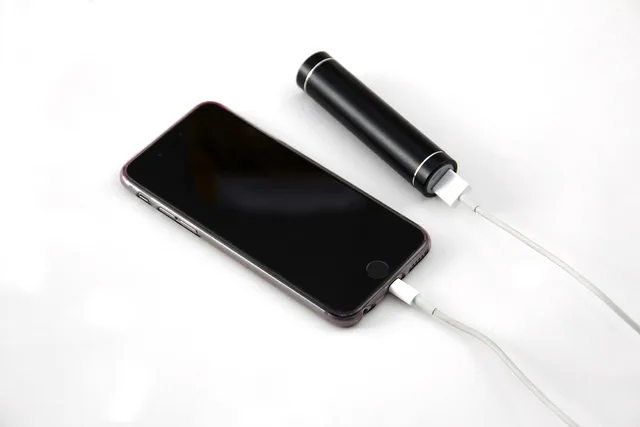
Connect known-good, correctly rated equipment. Move the plug gently enough to detect a loose connection without stressing it. Confirm that the charging indicator remains stable and that the percentage rises during a short idle test. Check whether the device reports battery health, cycle count, or service warnings. On supported iPads, check Battery Health in iPadOS Settings; Android's Settings > Battery > Battery usage shows consumption, not necessarily capacity or cycle count. On compatible Samsung tablets, Samsung Members diagnostics can run a battery check.
A brief test cannot measure full capacity. Run a repeatable task for 15 to 30 minutes with a recorded starting percentage, brightness, radios, and app. Sudden drops, shutdowns, heat, or large percentage jumps deserve investigation. For an e-reader, test page turns and the front light, and observe behavior during a Wi-Fi download and while wireless is idle; a short inspection cannot establish standby life, so ask about normal use. Battery replacement access and parts vary by model, so confirm serviceability and parts availability before deciding what replacement risk to accept. The used laptop inspection checklist applies the same battery skepticism to bigger machines.
Test radios, controls, and content
Connect to Wi-Fi and load a known page. Pair a Bluetooth accessory. If the tablet has cellular service, check its IMEI with CTIA Stolen Phone Checker, then confirm carrier-lock status, bands, and activation eligibility with the intended carrier. Test speakers, microphones, cameras, buttons, vibration, card slot, keyboard, pen, and headphone connection.
Sign in only after ownership checks are complete. Install or open the required app, download a sample book, open a representative PDF, search within it, create a note, and test offline access. Then remove your test account before returning the device to the seller if you do not buy it.
Reset with preparation, not guesswork
If you purchase an Android tablet, back up any test data first.
Factory reset preparation steps
- Back up any test data first
- Know account and screen-lock details
- Charge adequately
- Use maker's model-specific instructions
- Complete updates and security during return period
- Prove recovery before deleting only copy
Know the associated account and screen-lock details, charge adequately, and always use the maker's model-specific instructions. For exact reset and account-release steps, consult Apple's Activation Lock guidance, Google's Android Factory Reset Protection guidance, Samsung Support, Amazon's Kindle deregistration instructions, or Kobo Help for the exact model.
Wikipedia's page on the factory reset notes that a reset erases the device's data but not necessarily a storage card. Android's Factory Reset Protection exists to prevent unauthorized access to a device that has been lost, stolen, or reset. So the right account details matter before you wipe.
Complete updates, account security, device finding, backups, and an offline reading test during the return period. Do not transfer your only copy of a file until recovery has been proven. The tablet setup and care guide sequences those first-week steps.
Purchase record
| Check | Evidence to keep |
|---|---|
| Identity | Model, serial, storage, radio version |
| Ownership | Setup assistant completed without old credentials |
| Condition | Dated photos and disclosed faults |
| Support | Maker's current model page and software status |
| Accessories | Itemized charger, cable, pen, keyboard, case |
| Terms | Price, payment, return window, warranty |
| Seller | Name, platform profile, written messages |
Walk away when
- the model or serial does not match the listing
- the seller will not remove an account lock
- the screen lifts, the case swells, or the device overheats
- charging cuts in and out with correct equipment
- important damage or repair history changes during inspection
- payment must bypass the marketplace's stated protections
- the required app or file fails on the exact device
Common questions
Can a factory reset remove every ownership lock?
No. Anti-theft systems may still require the previous owner's account or another authorized release method after an erase.
Is a few minutes of charging enough to test the battery?
No. It checks basic input, not capacity, self-discharge, heat under load, or behavior at a low charge.
Should I buy a device with a replaced screen?
Only when the repair is disclosed, the part and workmanship are acceptable, every function passes, and the price reflects the remaining risk.
Is the original charger required?
Not always, but the included or replacement charger and cable must meet the device's electrical and protocol requirements and be in safe condition.